

Choose a Linux VPS (Ubuntu or Debian) if you are hosting websites, APIs, databases, Docker, n8n, Evolution API, Coolify or Supabase: it uses far less RAM and disk, carries no OS licensing fee and is the native target of almost every modern web stack. Choose a Windows VPS (Windows Server 2022 or 2025) when your software natively requires Windows or a persistent remote desktop — such as MetaTrader 4/5, Windows-only ERPs, classic .NET Framework on IIS, SQL Server on Windows or GUI desktop automation over RDP.
On this page
The costliest mistake when ordering a VPS is picking Windows out of habit for a Linux-native stack — or trying to run a Windows-only production app on Linux through Wine.
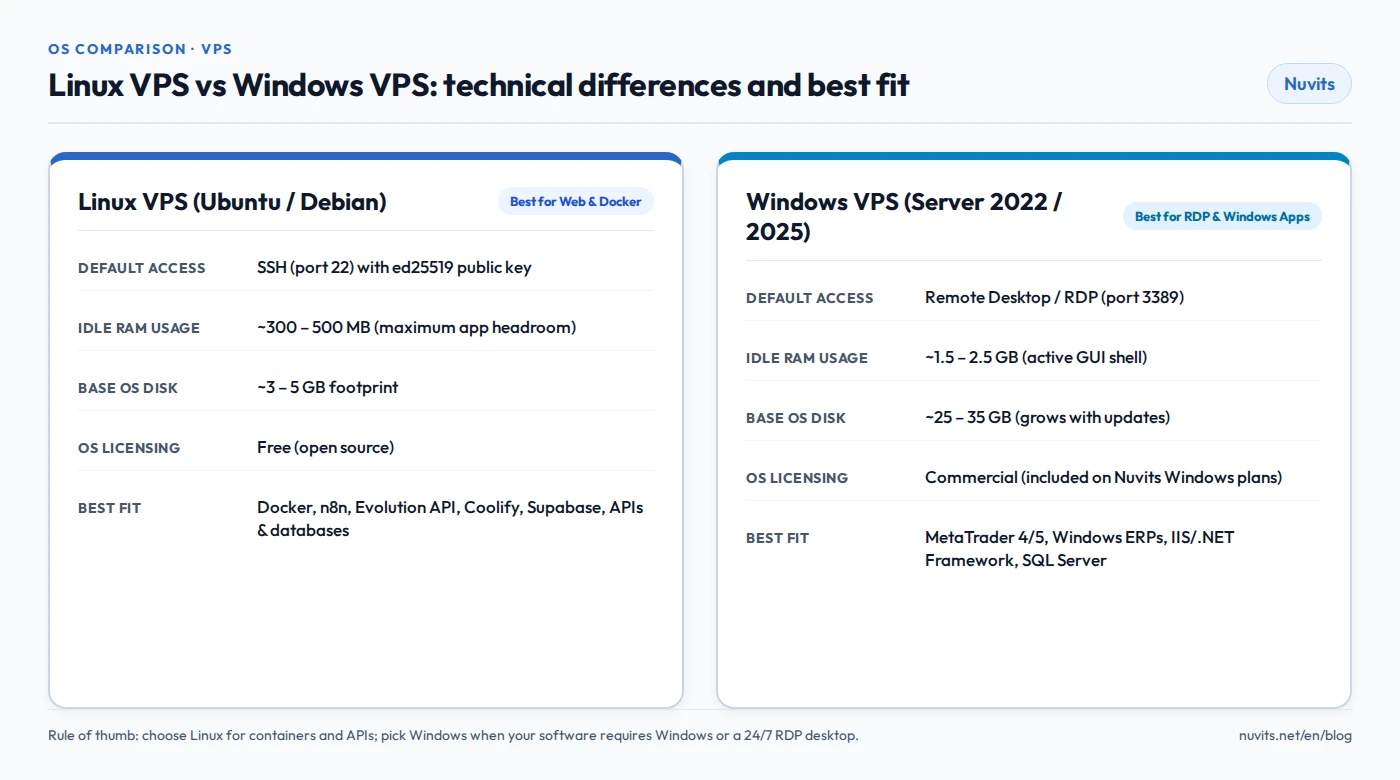
Side-by-side comparison: Linux VPS vs Windows VPS
| Criterion | Linux VPS (Ubuntu / Debian) | Windows VPS (Windows Server 2022 / 2025) |
|---|---|---|
| Default remote access | SSH (port 22) with public key | Remote Desktop / RDP (port 3389) as Administrator |
| Interface | Command line (no desktop overhead) | Full Windows Server graphical desktop |
| Idle RAM usage | ~300 to 500 MB | ~1.5 to 2.5 GB |
| Base OS disk footprint | ~3 to 5 GB | ~25 to 35 GB (grows with Windows Updates) |
| OS licensing | Free (open source) | Commercial license required (included on Nuvits Windows plans) |
| Docker & containers | Native, lightweight and production standard | Not recommended for Linux containers (requires extra virtualization) |
| Best-fit workloads | Node.js, Python, PHP, Go, PostgreSQL, n8n, Evolution, Coolify | .NET Framework, IIS, SQL Server, MetaTrader, Windows ERPs, GUI bots |
| Cost per usable GB of RAM | Lower (no OS license and minimal OS memory footprint) | Higher (OS license included + larger base OS consumption) |
When to choose a Linux VPS
A Linux VPS is the stronger option for nearly all web development, APIs and self-hosted automation:
- Docker and Docker Compose in production: n8n, Evolution API, Typebot, Supabase, Coolify, Chatwoot, Redis, PostgreSQL and Caddy run natively on the Linux kernel with zero virtualization penalty.
- Websites and backend services: WordPress, Laravel, Next.js, Django, FastAPI, Rails and Go/Rust services ship official images and deployment docs built around Linux.
- Maximum usable hardware: on an 8 GB Ubuntu VPS, roughly 7.5 GB of RAM remains free for your apps and database page cache.
- Automation and key-based security: SSH key login (
ed25519),ufwfirewall rules, fastaptsecurity updates and clean OS reinstalls without touching a GUI.
When to choose a Windows VPS
A Windows VPS is the right tool whenever your application or team depends on the Microsoft ecosystem:
- Trading platforms and bots (Expert Advisors): MetaTrader 4/5 and trading terminals that need to stay online 24/7 with an active graphical session over RDP.
- Windows-only ERPs and desktop business tools: legacy Delphi, Visual Basic or classic .NET Framework software, fiscal/accounting modules and tools tied to Windows certificates or drivers.
- Classic Microsoft stack: ASP.NET / .NET Framework apps on IIS, Windows Services and Microsoft SQL Server in its native environment.
- Non-technical desktop operation: teams that need to connect from Windows, macOS, Linux or mobile via an RDP client (
mstsc) without touching a shell.
Starting RAM and SSD tiers by OS
Because Windows Server reserves more memory and storage for the desktop shell and system updates, the same hardware tier leaves less headroom on Windows than on Linux:
| Workload profile | Linux VPS floor | Windows VPS floor |
|---|---|---|
| Small starter app or 1–2 lightweight sessions | 2 vCPU · 4 GB · 50 GB | 4 vCPU · 8 GB · 80–100 GB |
| Production app with database or multi-app | 4 vCPU · 8 GB · 100 GB | 6 vCPU · 12 GB · 150+ GB |
| Heavy stack (multiple services / SQL / builds) | 6 vCPU · 12 GB · 200 GB | 8 vCPU · 24 GB · 250+ GB |
Four common mistakes when choosing Linux vs Windows
- Ordering a Windows VPS to run Docker Desktop or n8n: Docker Desktop is not designed for headless Windows servers and wastes gigabytes of RAM. For any container workload, use a Linux Docker VPS.
- Under-sizing RAM on Windows: below 4–8 GB of RAM, Windows Update plus a browser or MetaTrader terminal causes heavy disk paging and sluggish RDP sessions.
- Leaving RDP (
3389) exposed without hardening: public port 3389 attracts constant brute-force scans. Change the initial password immediately, keep Network Level Authentication (NLA) enabled and restrict RDP via firewall rules or a private VPN (such as Tailscale or WireGuard). - Overlooking server region for trading or remote ERPs: if latency to your broker or office matters, check the available VPS regions before provisioning.
15-second decision checklist
- Runs on Docker, Linux, Node, Python, PHP or Go? Pick a Linux VPS.
- Ships only as a Windows
.exe, needs IIS/.NET Framework or requires a 24/7 RDP desktop? Pick a Windows VPS. - Need both (e.g., Docker APIs plus one legacy Windows ERP)? Run two right-sized VPS instances instead of forcing containers onto Windows — it is cleaner, safer and easier to maintain.
Next steps
- Compare Ubuntu and Debian tiers with SSH key access on Linux VPS and Docker VPS.
- Explore Windows Server 2022 and 2025 plans with the OS license included on Windows VPS.
- Running automation containers on Linux? Check our sizing guide How much RAM and vCPU for n8n, Evolution API and Coolify.